Menu
Professional School Reports ✉️

School reporting software that turns tracking data into parent reports

Stop wasting hours copying and pasting data. Turn your class tracking logs into beautiful, branded PDF parent reports instantly and email them directly to families.

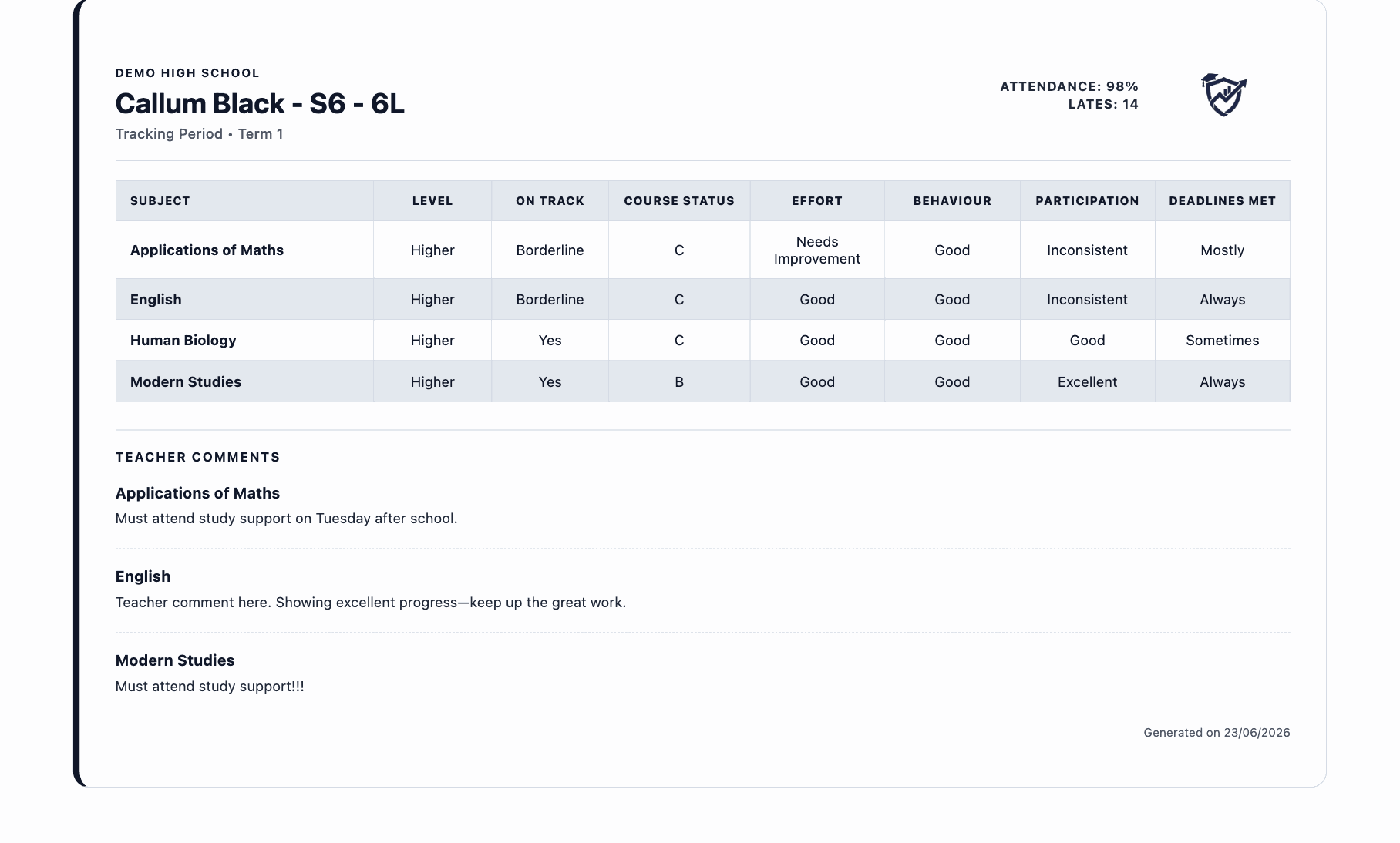
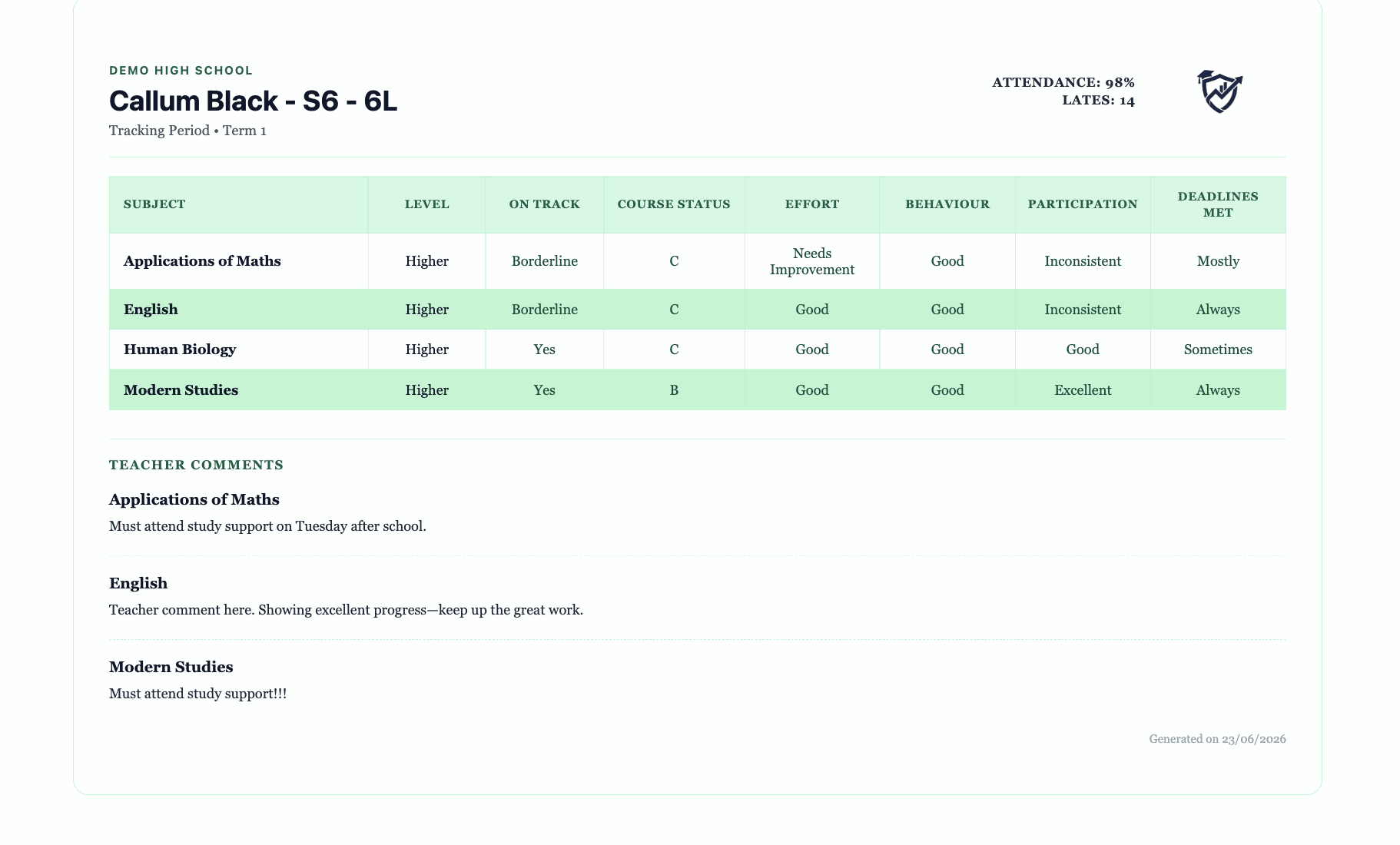
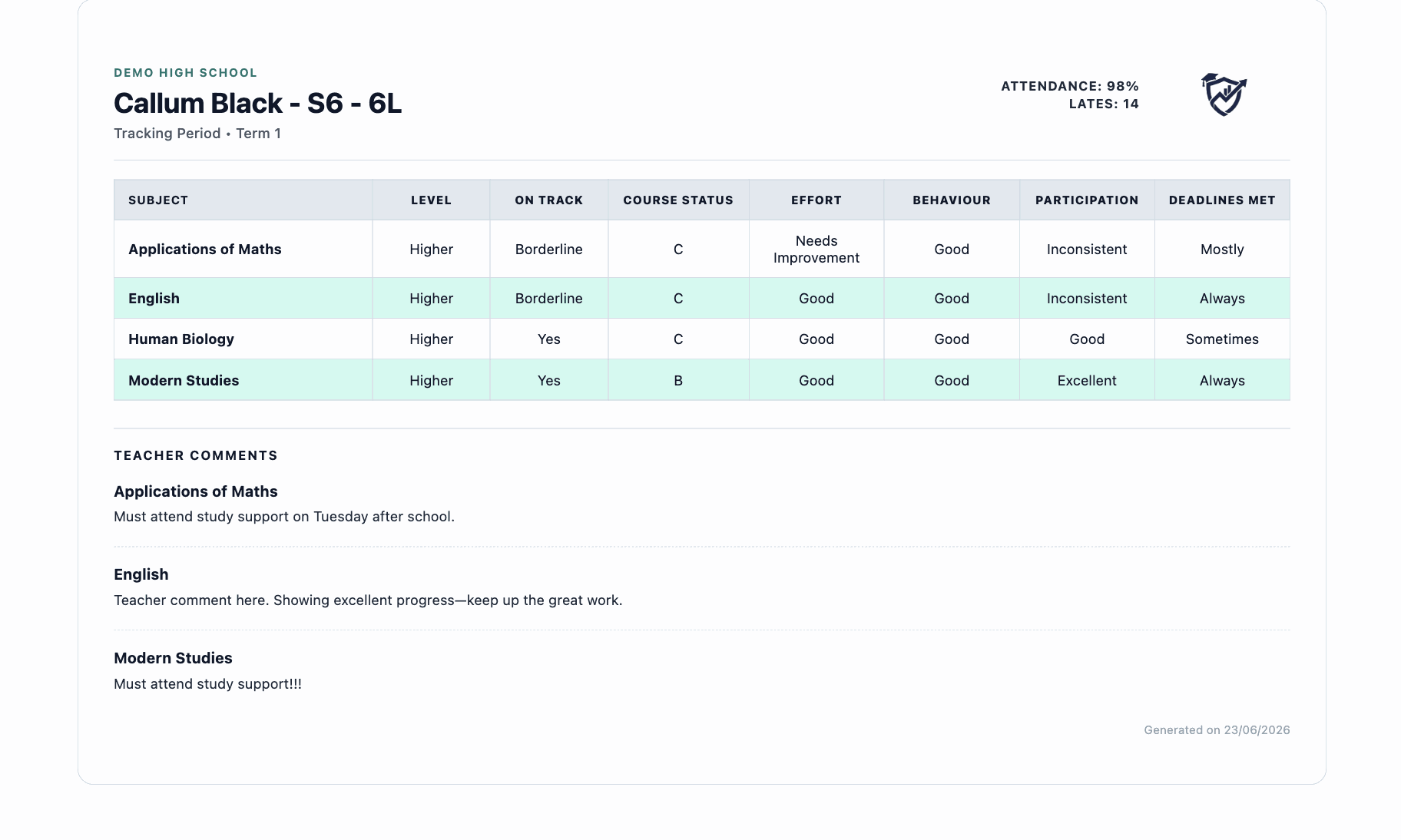
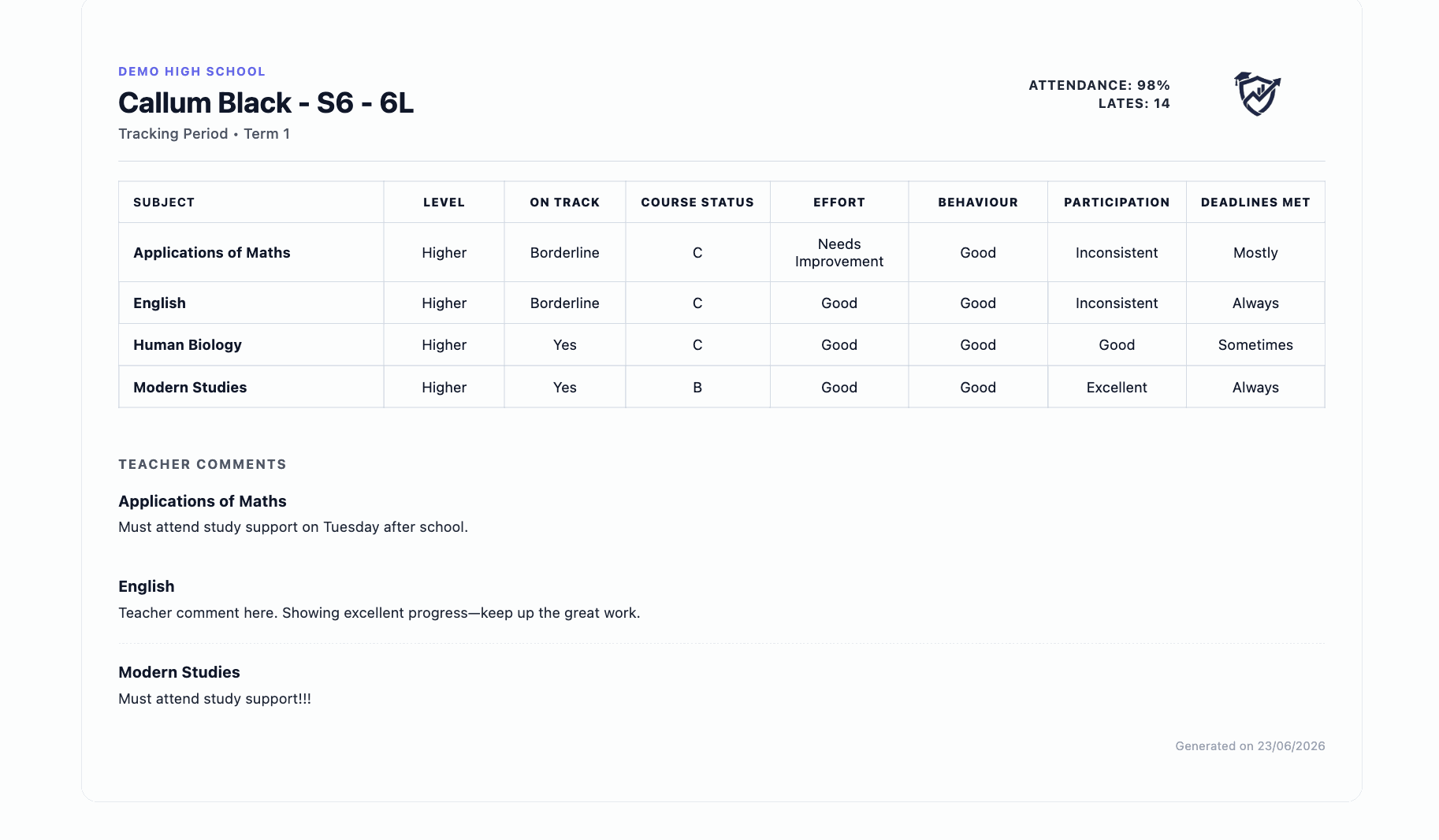
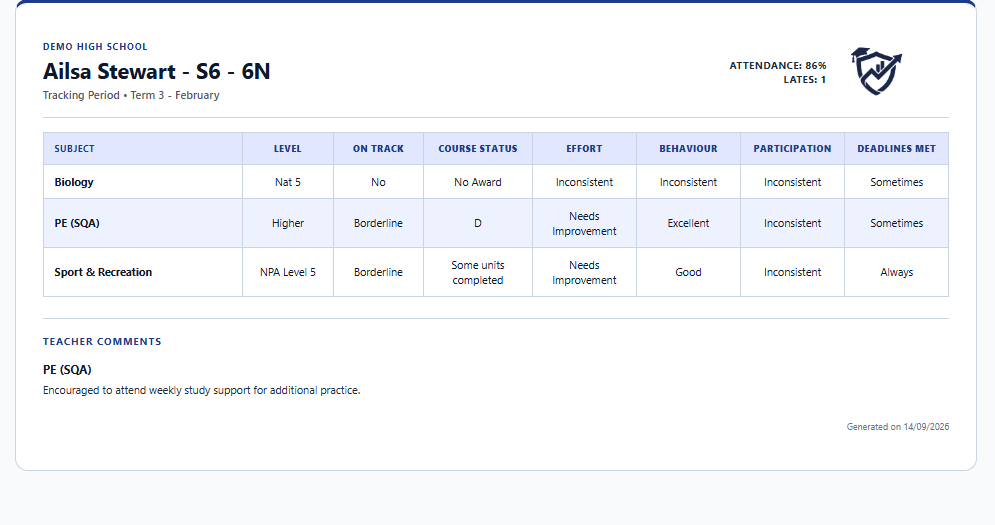
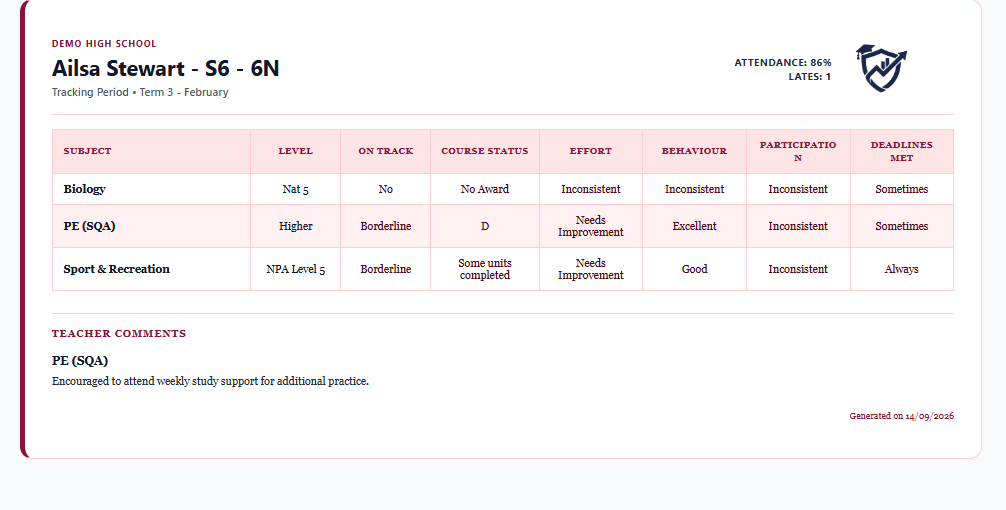
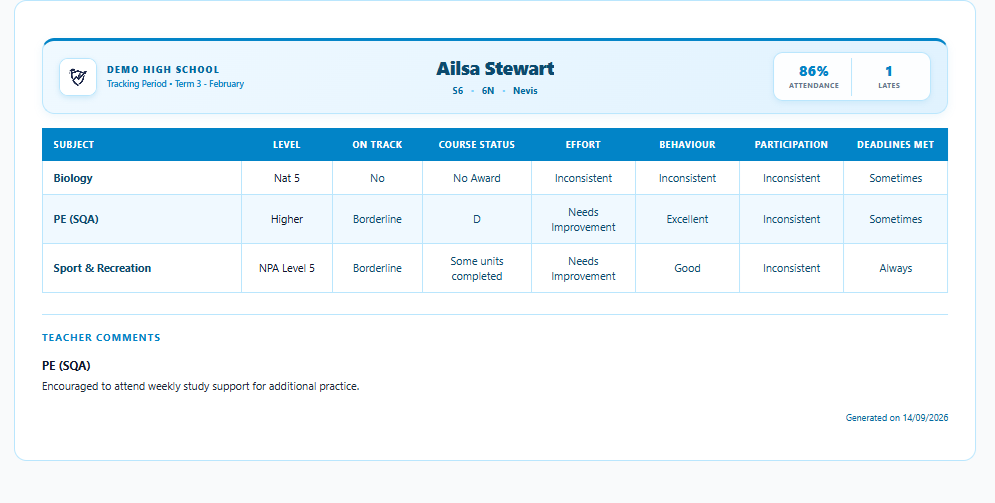
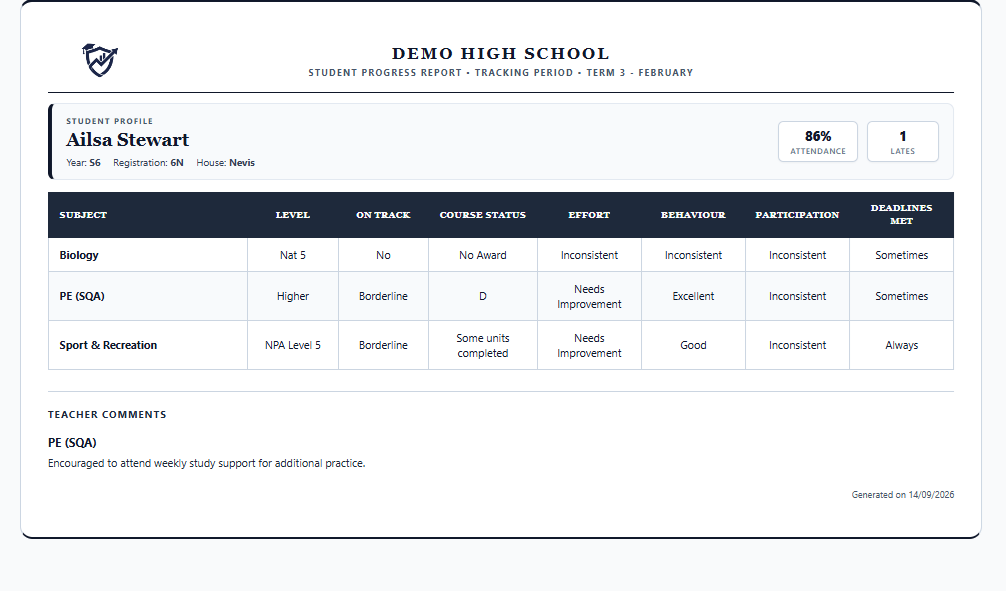
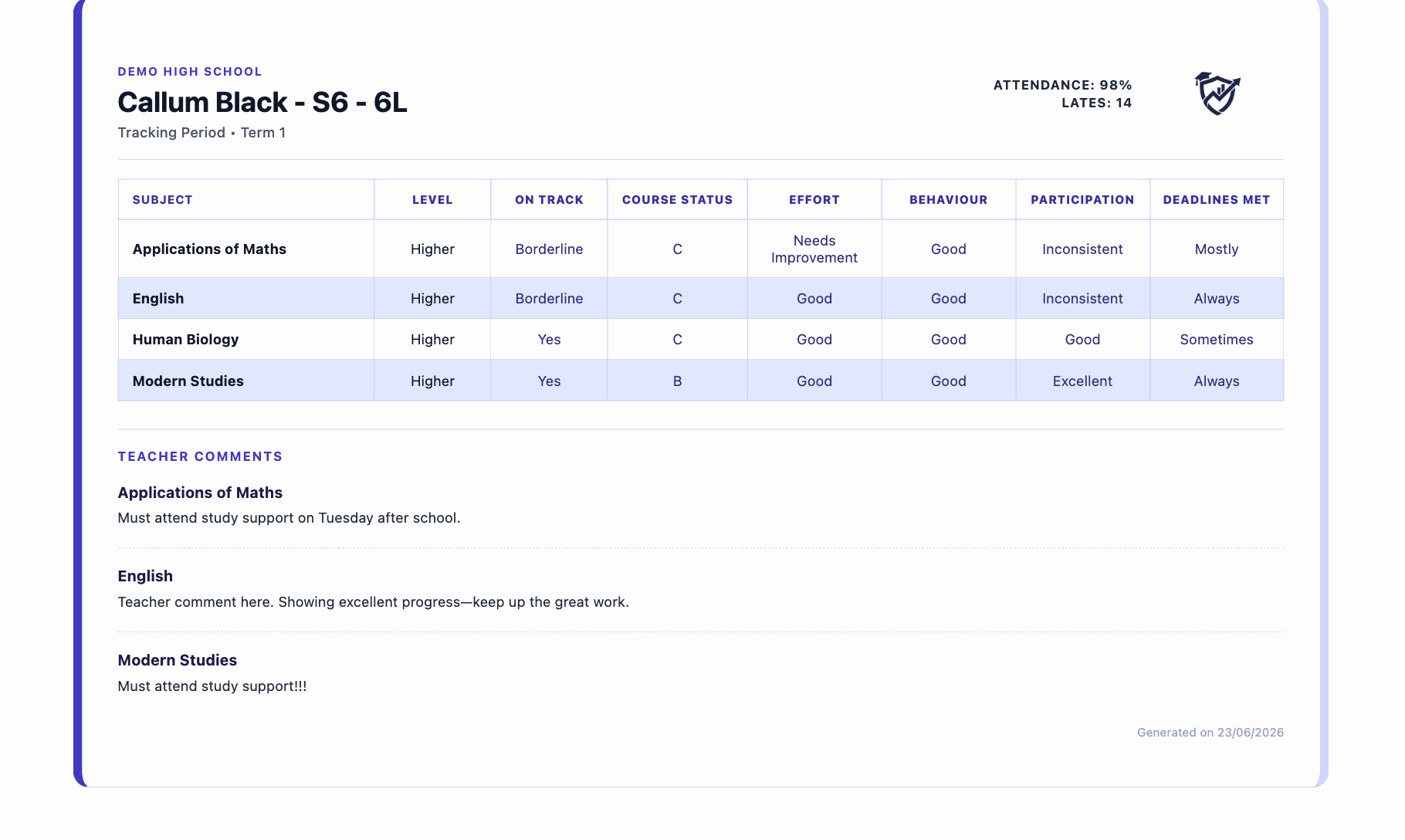
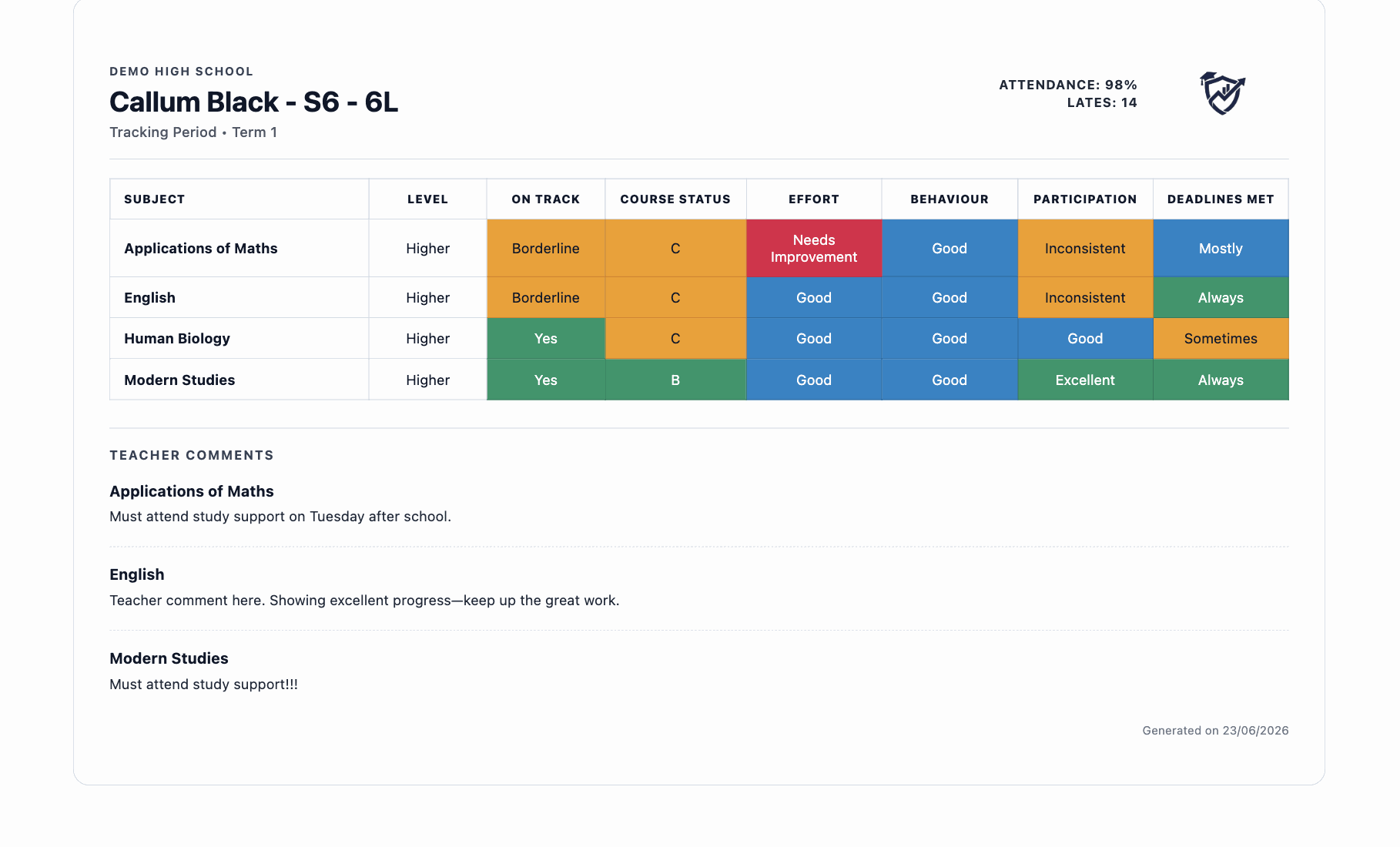
Parent report preview
Smart School parent report software for schools and pupil tracking software Scotland template

Parent reporting built around Scottish schools

Designed specifically for Scottish secondary education, Smart School streamlines parent communication by generating accurate, professional reports straight from your daily tracking data without redundant data entry.

BGE & Senior Phase Formats

Tailored report formats built for Broad General Education (S1–S3) and Senior Phase (S4–S6) qualifications.

CfE Levels & Course Status

Seamlessly display Curriculum for Excellence levels, working grades, target grades, and course progress status.

Ten Branded PDF Templates

Select from 10 professionally designed PDF layouts featuring your school logo, headers, and colour themes.

Email or Print Options

Distribute reports directly to parent email inboxes with tracking, or print crisp paper copies whenever required.

No Duplicate Data Entry

Reports auto-populate directly from your tracking data, eliminating repetitive copy-pasting for teaching staff.
The problem with traditional reporting

Why current report cards waste teacher time and school budgets.

Traditional Process

  • Huge Printing Bills

    Printing and posting paper reports generates significant administrative and material costs annually.

  • Repetitive Interfaces

    Navigating multiple screens to enter class comments is often time-consuming.

  • Lost Reports

    Printed reports frequently get lost in school bags and never reach parents.

The Smart School Way

  • Reduce Print Costs

    Generate and email school reports as clean, digital PDFs, with print options available when needed.

  • Fast, Simple Data Entry

    Bulk fill grades and select pre-saved comments from custom banks.

  • Direct to Inboxes

    Email reports instantly to parents, with delivery tracking.

How Smart School creates parent reports

A seamless workflow designed around teacher workloads and clear parental communication.

1

1. Complete Tracking

Teachers complete standard tracking cycles. The data is pulled directly into the report template generator, meaning no double-entry.

2

2. Choose Template

Choose from 10 professionally designed templates. Customise layout, add your school logo, name, and choose branded colours.

3

3. Click to Email

Review preview cards, check department QA progress, then email PDF reports directly to parents' inboxes in a single click.

Direct Email Automation ✉️

Avoid the hassle of mail merge. Email reports in seconds.

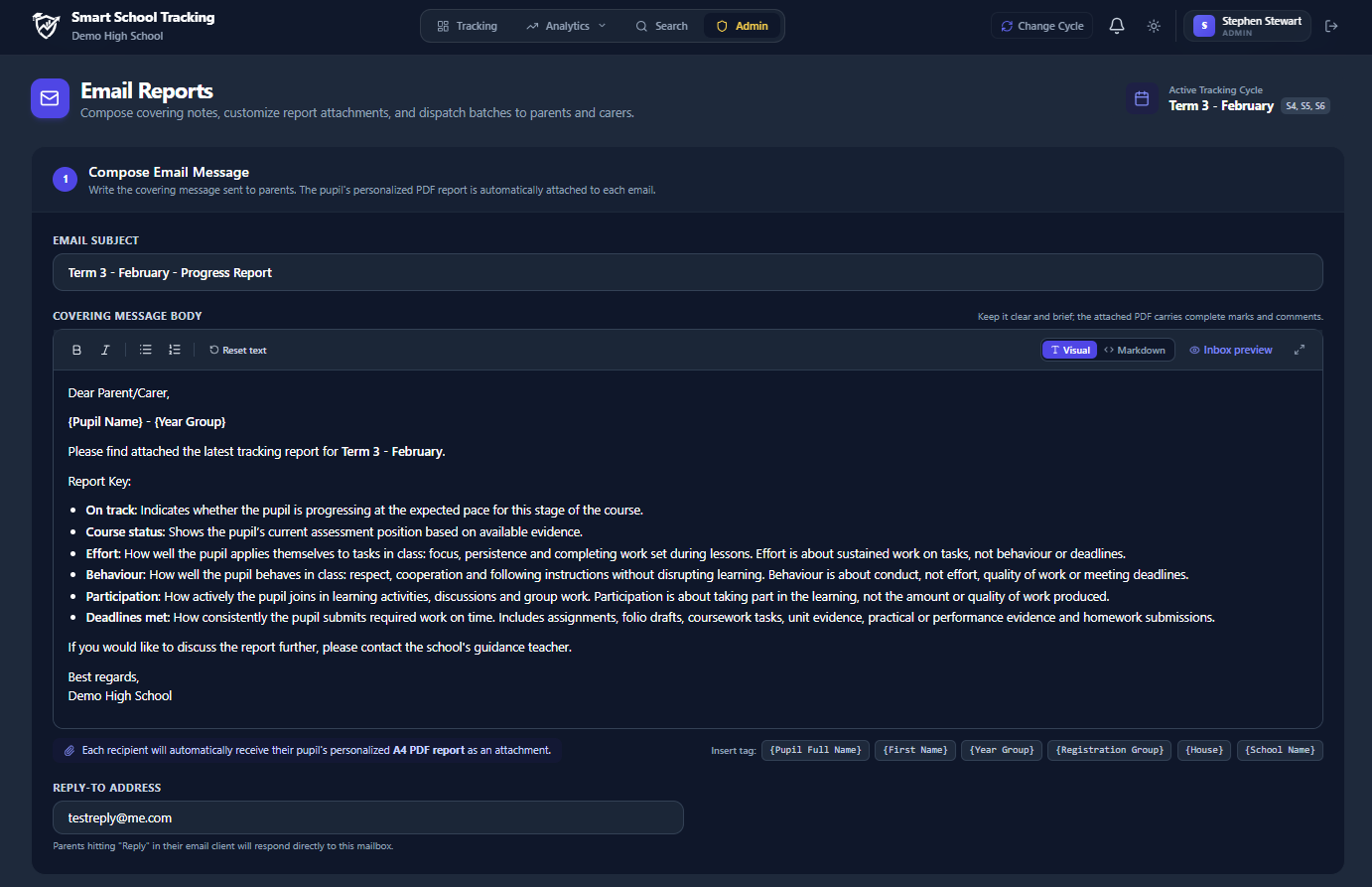
Word-based mail merges are slow, cumbersome, and introduce significant data protection risks. Smart School replaces manual merges with an automated, school-wide dispatch console. Deliver crystal-clear PDF reports directly to parents' inboxes with fully customizable email copy.

  • Bespoke Email Messaging: You decide the message that goes out with each report. Write custom introductory greetings, school announcements, and key contacts per year group.
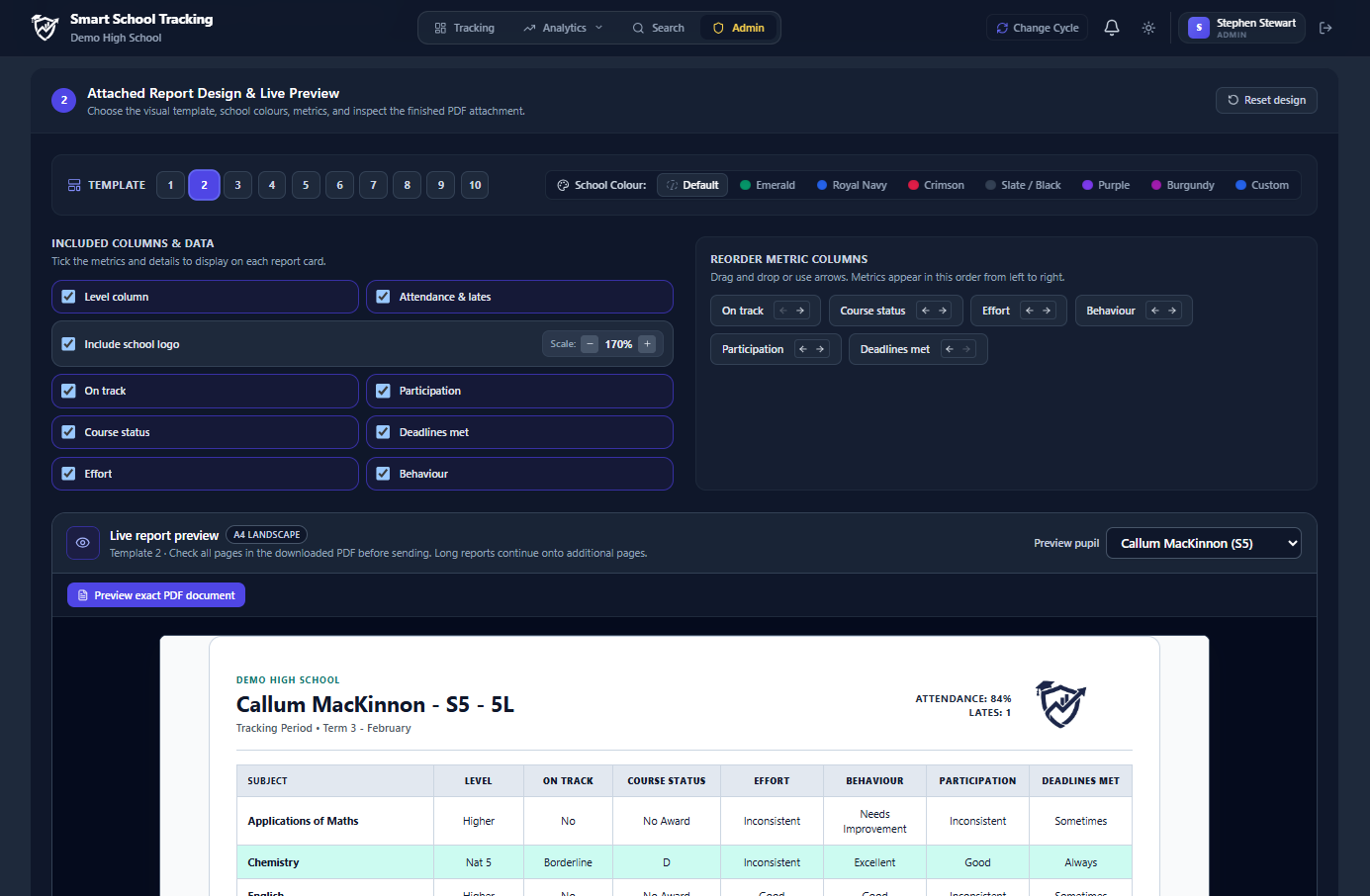
  • Live Preview Before Sending: Preview individual pupil report PDFs and switch templates on the fly right inside the email screen before triggering delivery.
  • Split-Parent Support: Easily handle multiple guardians and split households with automatic dual-parent delivery so every carer stays informed.
Direct Parent Email Dispatch Click to enlarge
Smart School direct parent email console with attached progress report PDFs
Preview Live Report & Select Template Expand
Previewing student report and selecting report templates before emailing
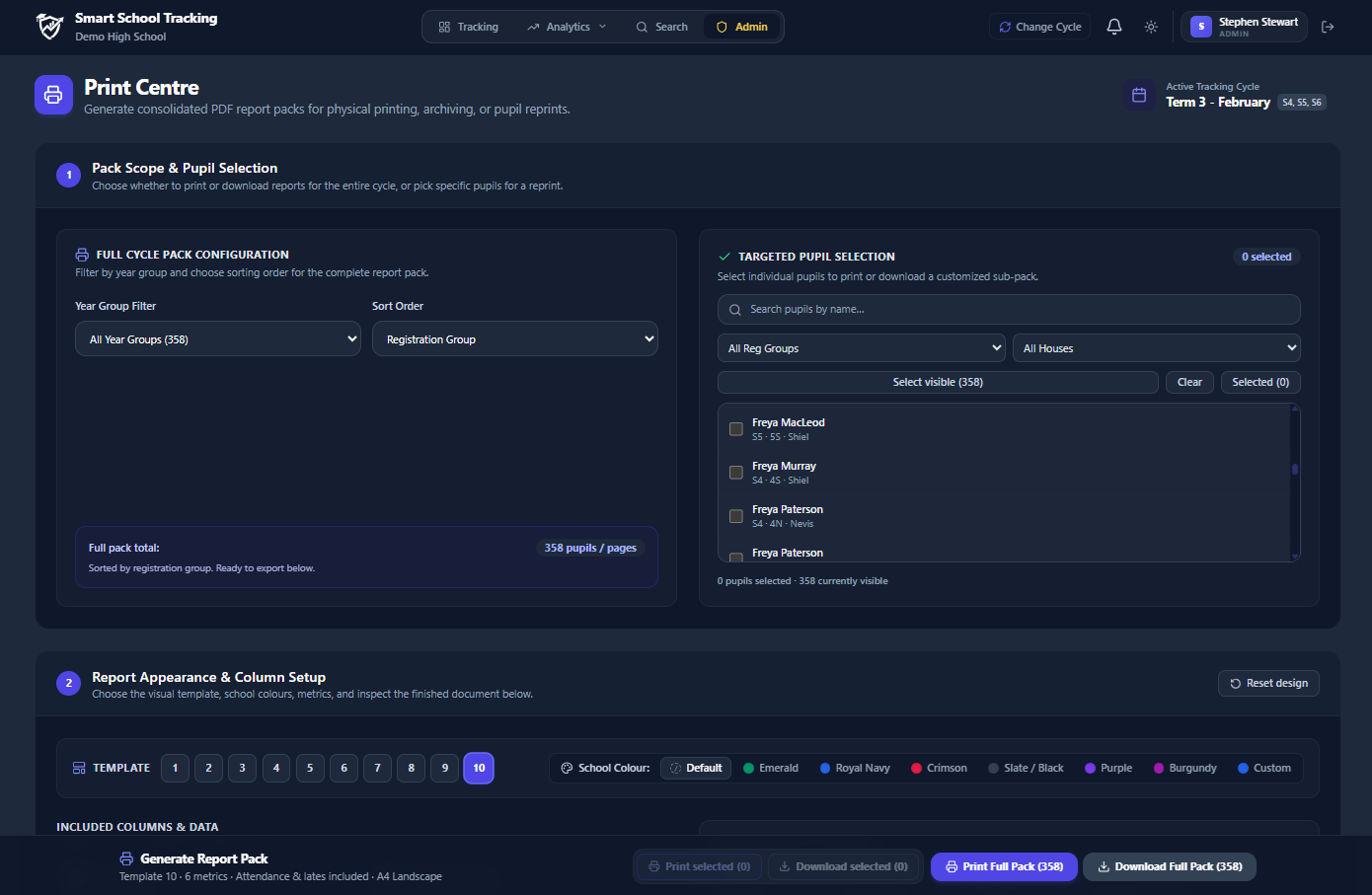
Print Console & Target Selection
Smart School report print management page with target pupil filters
Flexible Print Controls 🖨️

Print batches by class or isolate target pupil cohorts

When paper copies are required for parents without digital access, pastoral casework, or attainment review folders, Smart School's print console gives you complete control over formatting and pupil selection.

  • Print Target Pupils Only: Easily isolate specific cohorts—such as Pupil Equity Fund (PEF) learners, borderline students, or pupils with upcoming parent meetings.
  • Class & House Batching: Collate physical printouts sorted by registration class or house group for painless school office distribution.
  • Print-Optimised Styling: High-contrast monochrome and clean border modes ensure reports look sharp whether produced on office laser printers or heavy-duty reprographics.
Personalised Next Steps ✍️

Dynamic CfE & Senior Phase Comment Banks

Give parents and carers clear, meaningful next steps without asking teachers to write every comment from scratch.

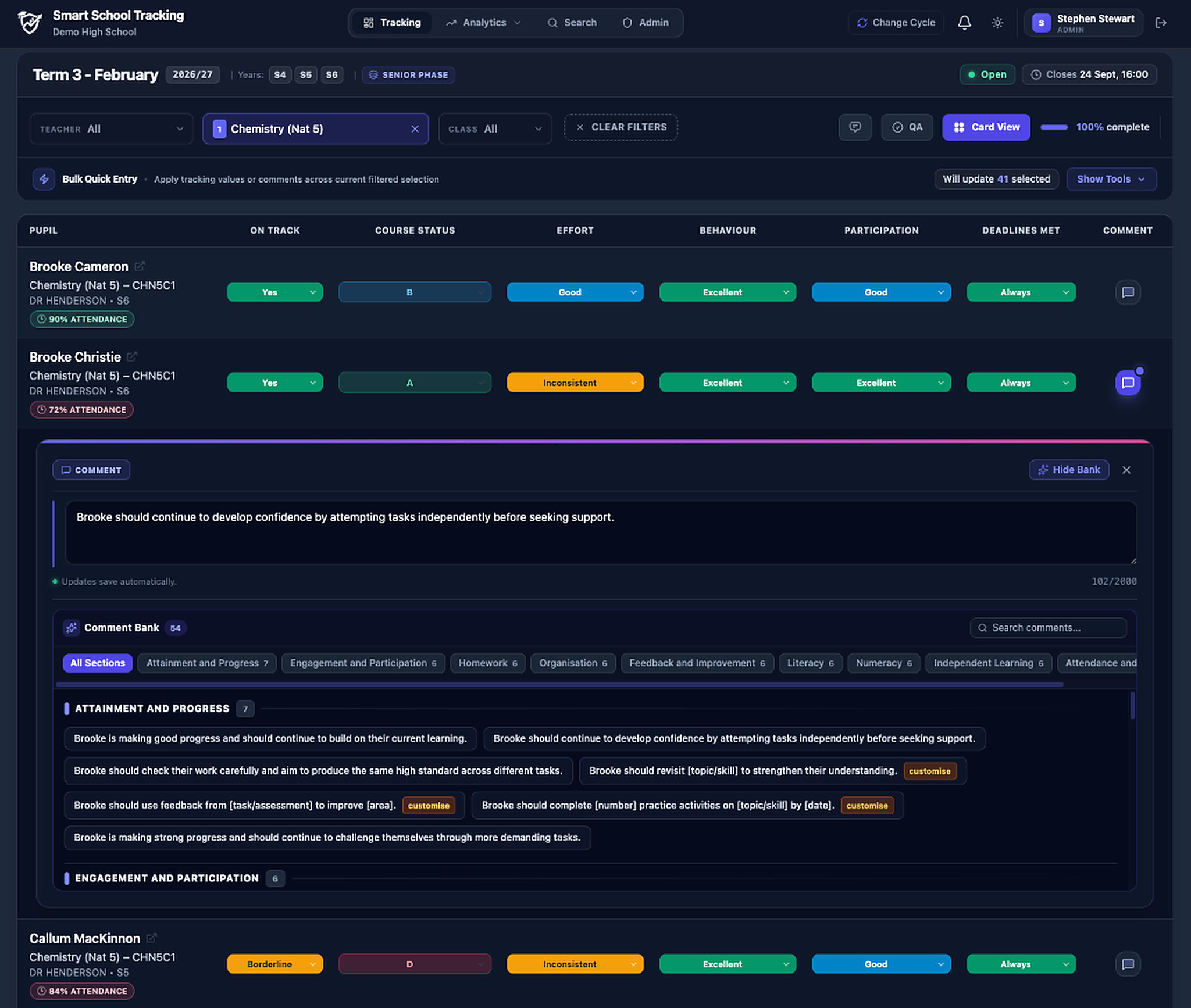
Smart School Tracking’s Dynamic Comment Banks combine reusable comments with pupil-specific personalisation. Names are added automatically, while teachers can quickly customise key details such as topics, skills, targets, assessments and deadlines.

  • Clear next steps: Organise comments around areas such as attainment, homework, engagement, revision and exam technique, helping staff give pupils clear and useful next steps.
  • Personalised for each pupil: Pupil names are added automatically, while staff can customise the details that matter, such as a topic, skill, target, assessment or deadline.
  • Fully customisable: Schools and departments can edit the supplied banks, create their own categories and add comments that reflect their subjects, courses and approach to reporting.
Template: “[Name] should complete [number] practice questions on [topic] before [assessment/date].”
Finished comment: “Ailsa should complete 3 practice questions on algebra before the November assessment.”

Names are added automatically. Staff only customise the details that matter.

1 - Comment Bank
Enlarge
Smart School Tracking live grid comment entry with dynamic comment bank drawer
Stage 1: Cycle In Progress
Enlarge
Smart School active tracking cycle monitoring missing comments and unsubmitted classes
In-Progress Cycle Live Cycle

Flags missing comments ('3 Missing') and unentered grades before deadline.

Final QA Sign-off Audit Ready

Faculty PTs and SLT formally sign off departments for 100% data integrity.

Error-Free Reporting 🔍

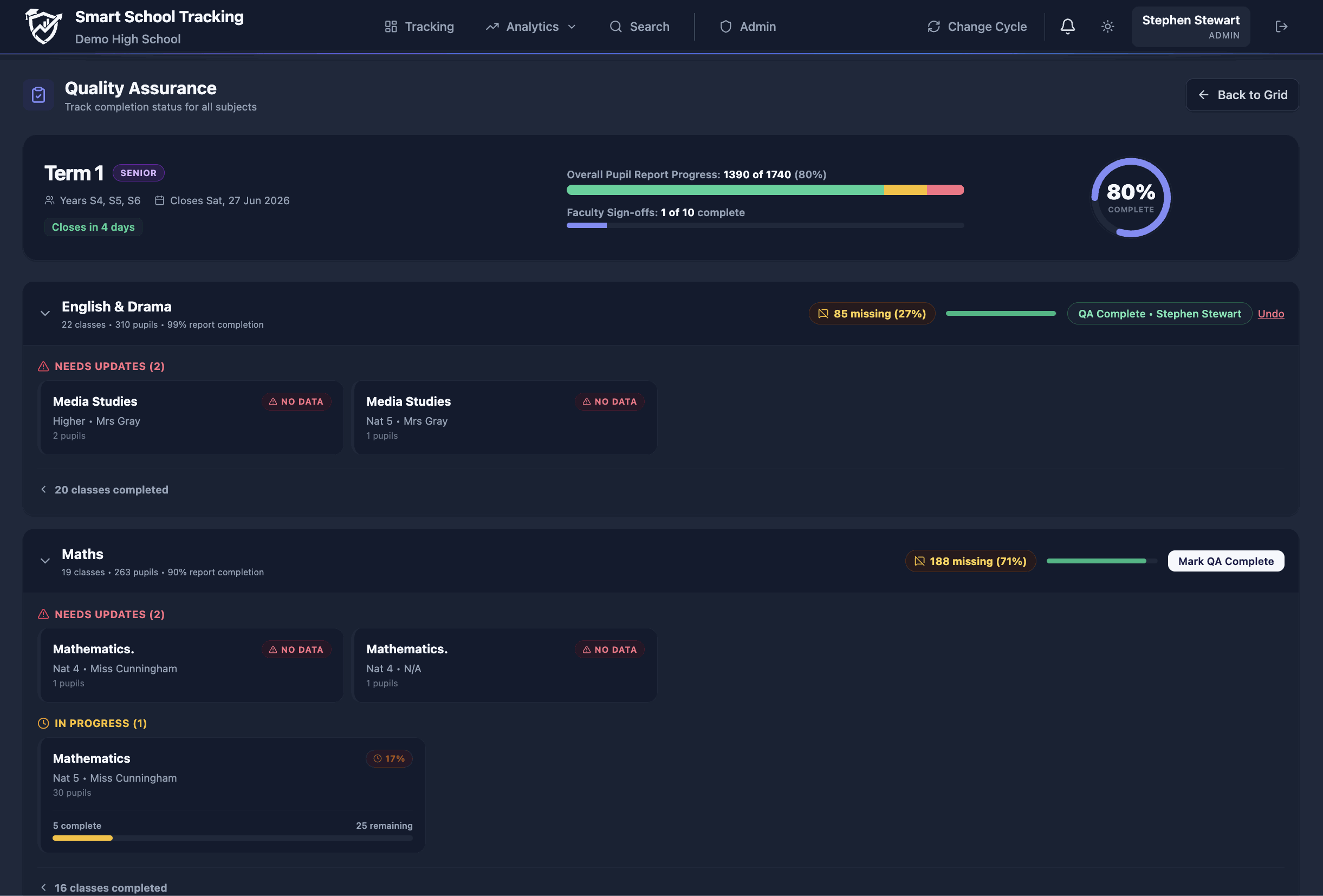
Spot missing data and approve reports with Department QA

No more sending incomplete report cards home. Smart School provides a dedicated Quality Assurance (QA) page giving Faculty Heads, Principal Teachers (PT), and Senior Leaders complete oversight of reporting cycles as they happen.

  • Faculty Head & PT Verification: Formally review and sign off on reports when completed, ensuring QA standards are met before publication.
  • Spot Missing Data Instantly: Automatically scan open reporting cycles to flag empty grades, missing comments, or incomplete teacher entries.
  • Department Progress Tracking: Monitor real-time completion statistics by subject, teacher, and class when a cycle is open.

Designed to reduce teacher workload

Creating parent report cards shouldn't lead to teacher burnout. That's why we built features specifically to save time:

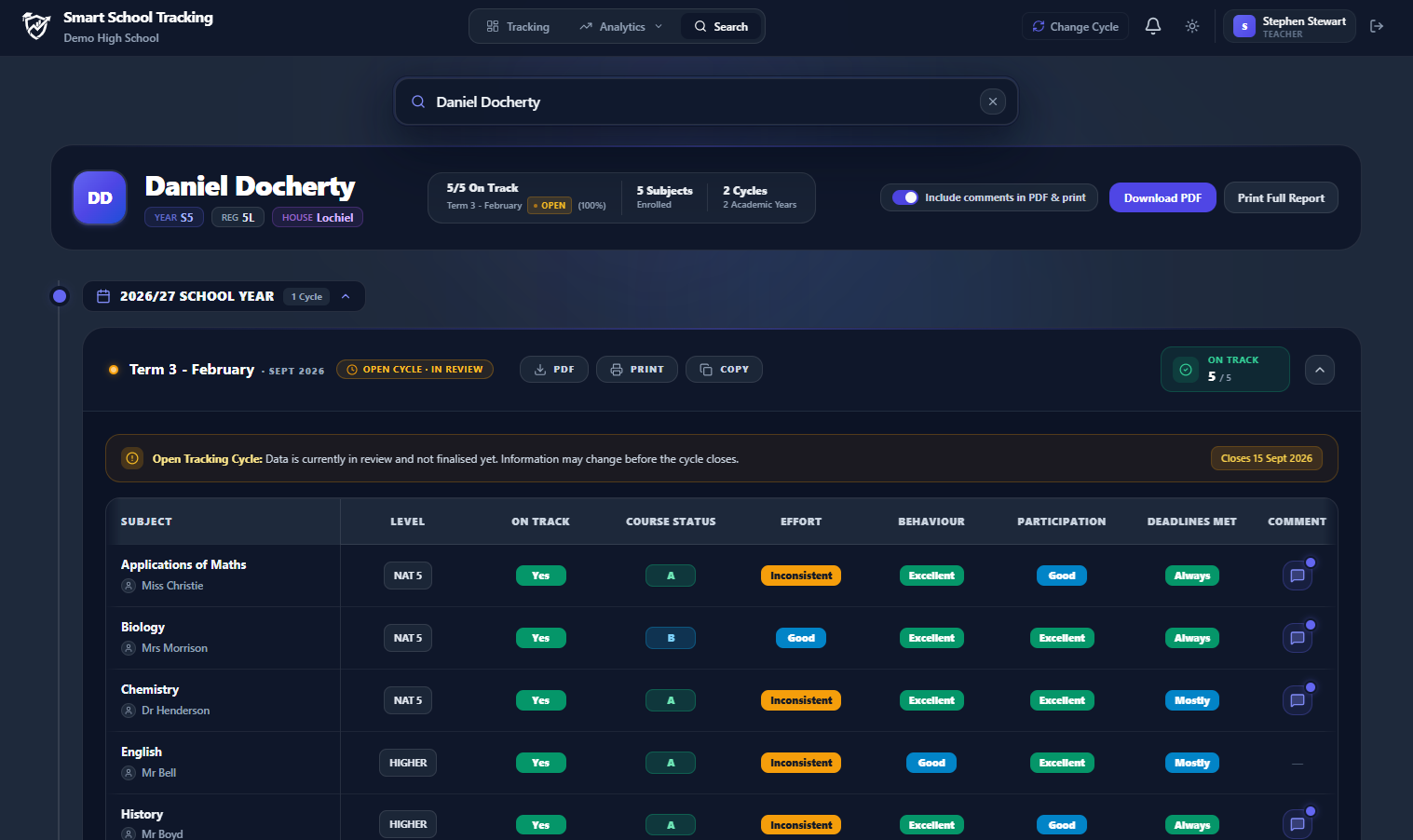
Universal pupil profile & attainment history
Enlarge
Smart School pupil profile showing complete longitudinal attainment history across all subjects

Reduce workload and print costs today

Join schools across Scotland who are replacing spreadsheets and legacy software for a simpler, faster pupil tracking system.