Menu
SEEMiS Export & Import ⚡

SEEMiS compatible tracking software for Scottish schools

Smart School Tracking works with SEEMiS Click+Go exports. Export your pupil lists, class structure, and course data, upload the spreadsheet, and get your tracking cycles running in minutes.

SEEMiS import screen
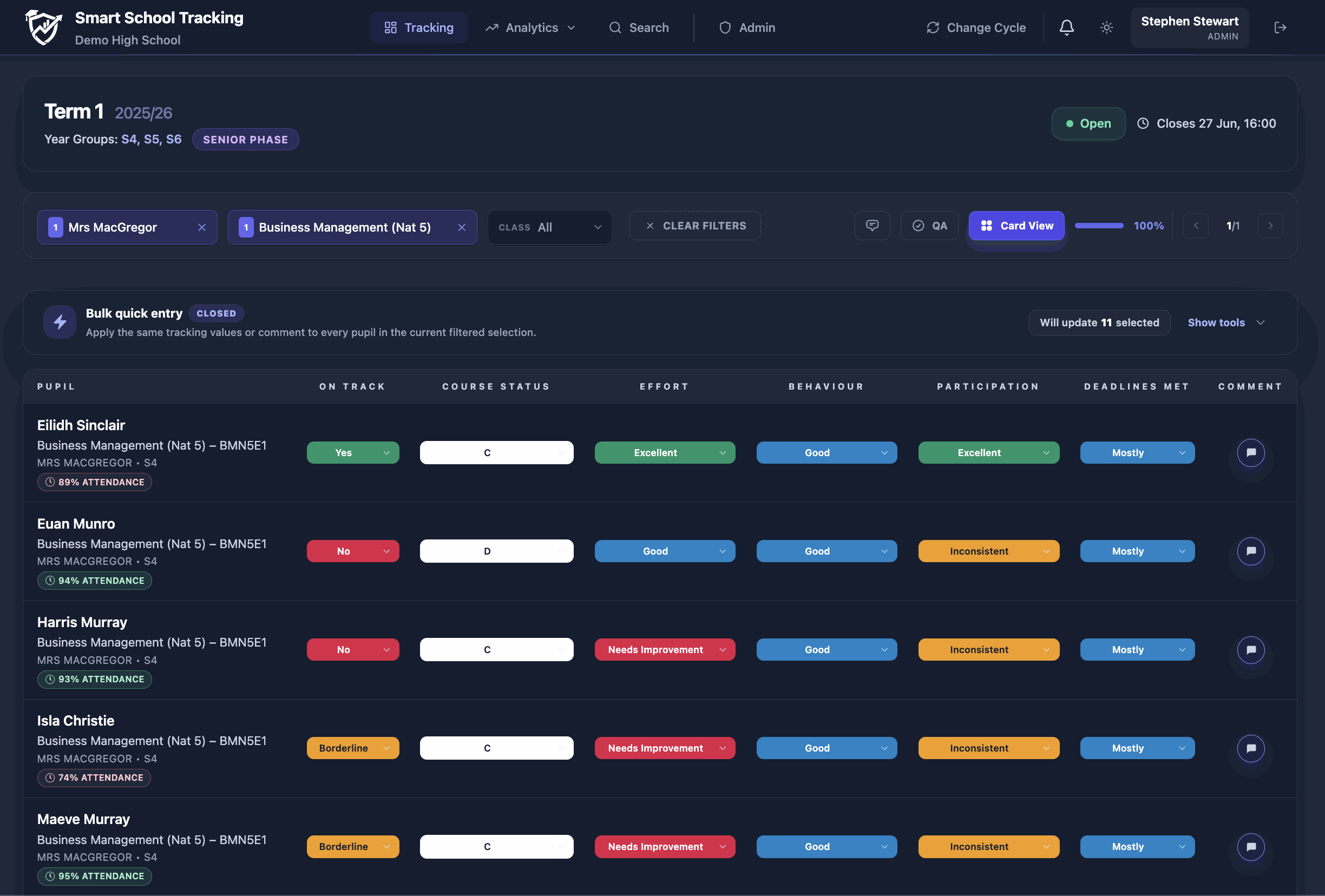
Smart School tracking grid view following SEEMiS data import

How the SEEMiS Import works

A straightforward export-and-upload workflow that school administrators can complete in minutes.

1. Export from SEEMiS

Log in to Click+Go, run your standard pupil and course class lists report, and export the file as a Microsoft Excel spreadsheet.

2. Upload to Smart School

Drop the exported spreadsheet directly into the Smart School admin console. Our smart parser helps map classes, departments, and teachers.

3. Start Tracking

Class registers and tracking columns are created instantly. Teachers can now log in using their credentials and complete their cycles.

What happens after import?

Uploading your SEEMiS data sets up the entire platform structure instantly. School admin tasks are reduced to near zero:

Analytics overview
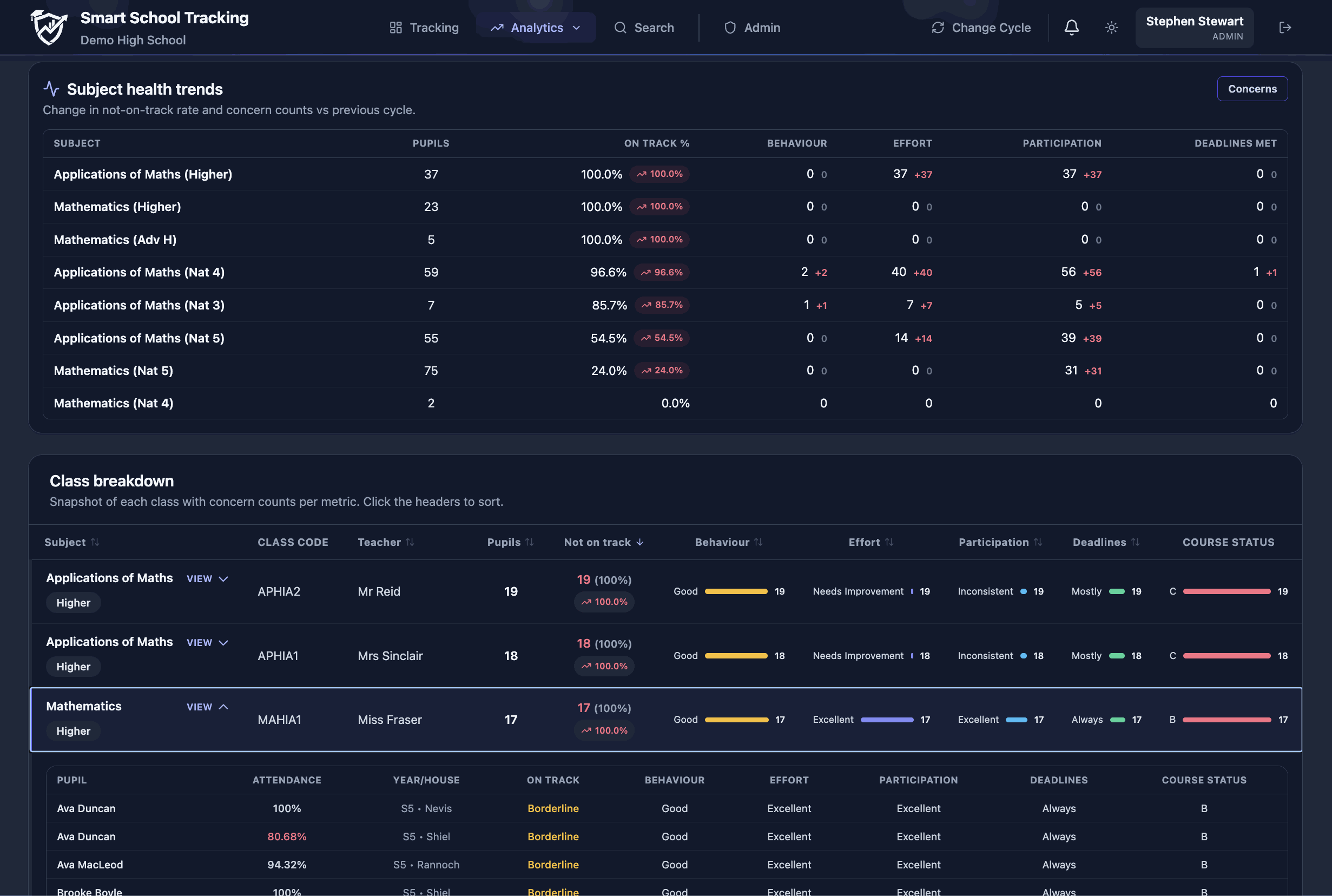
Post-import analytics overview in Smart School dashboard
FAQ

Frequently Asked Questions

Do you write data back to SEEMiS?

No. Out of security and data integrity precautions, Smart School Tracking reads your exported SEEMiS lists but does not write back to Click+Go. You preserve absolute control over your master data records.

How long does a data upload take?

Uploading a whole-school spreadsheet takes under 2 minutes. The software instantly parses S1–S6 lists, builds subject classes, and maps them to teacher logins.

Is student personal data secure during imports?

Absolutely. All uploads are encrypted in transit and stored in secure, UK-based data centres compliant with GDPR regulations.

Ready to simplify your SEEMiS tracking cycles?

Discover a tracking system built for Curriculum for Excellence that admin staff and classroom teachers love.